Roblox Parkour Adventure: Reading a Vertical City
Roblox Parkour Adventure uses the language of height, movement, and rapid spatial decisions to frame a browser-based journey through an obstacle-oriented environment. This editorial guide examines the title as a parkour experience: how its published controls divide movement into clear functions, why vertical spaces change the way a route is read, and how a block-built city can communicate direction without relying on long explanations.
Open Roblox Parkour Adventure on OviGames
A City Designed to Be Read in Motion
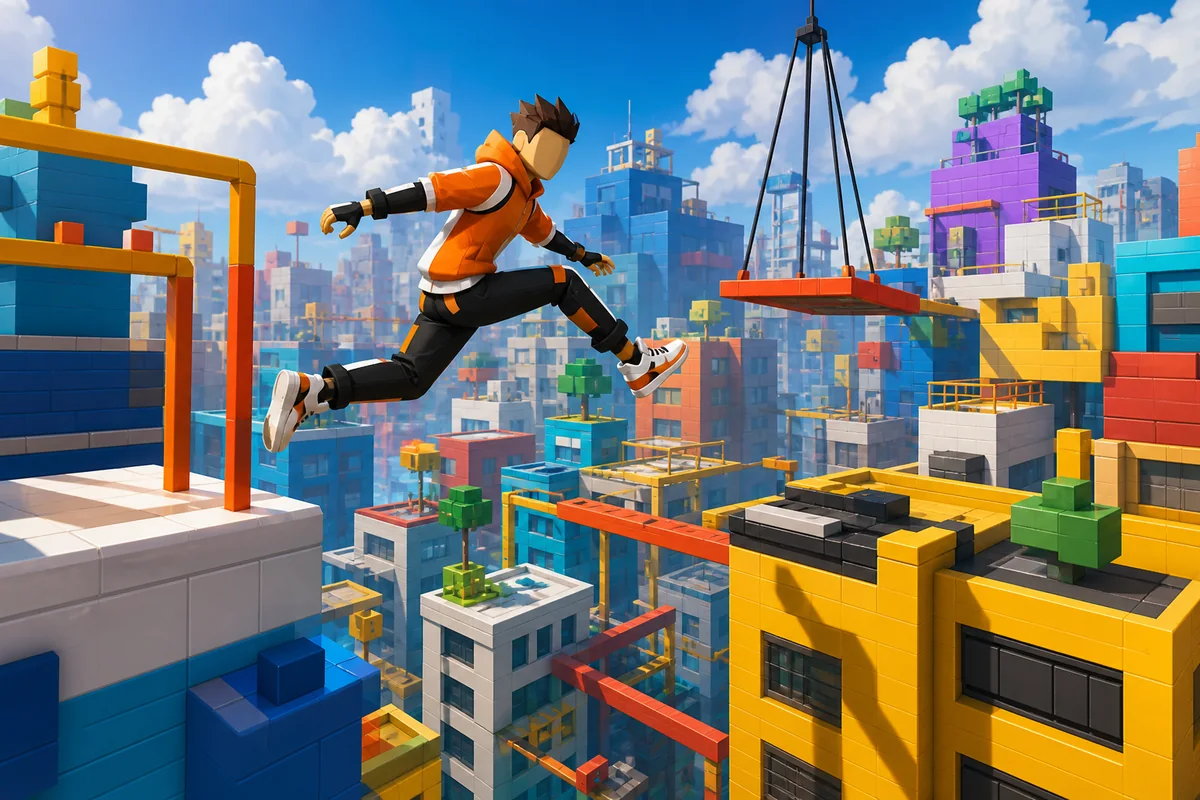
Parkour settings are more than decorative backgrounds. Roof edges, raised platforms, gaps, ramps, and changes in elevation become visual information. A successful layout makes the next possible direction understandable while preserving a sense of discovery. Color contrast can separate a usable surface from distant scenery, and repeated shapes can create a rhythm that helps the route feel coherent.
The original artwork made for this article interprets that idea through a bright vertical city and an unbranded athletic avatar. It is an editorial illustration, not a screenshot, and does not claim to reproduce a scene from the game.
What the Published Controls Reveal
The instructions list WASD for movement, Space for jumping, and Shift for running. They also identify F for attacking, G for flying, Q for moving upward, and E for moving downward. On supported mobile layouts, operation is assigned to on-screen buttons. This is a broader input set than a simple one-button runner, so learning the functions in small groups is more practical than pressing everything at once.
Why Height Changes Decision-Making
A route at ground level can often be scanned from left to right. A vertical course asks for a different kind of attention because useful surfaces may sit above, below, or beyond the current position. The camera view, the silhouette of a platform, and the distance between edges all become part of the decision. Speed matters, but clarity before movement can matter just as much.
That balance explains the appeal of city parkour themes. Architecture supplies natural visual checkpoints while open air emphasizes every transition. The result can feel fast without becoming visually random when landmarks and color groups remain consistent.
Build Familiarity in Layers
- Begin with WASD and observe how quickly direction changes.
- Add Space only after basic positioning feels predictable.
- Test Shift in an open section where added speed is easier to read.
- Treat the remaining inputs as separate functions and confirm their effect individually.
Finding Related Short-Session Games
Roblox Parkour Adventure is filed under Hypercasual Games on OviGames. That category is useful for discovering titles built around direct interaction and quickly understandable presentation, even when their themes and control depth differ.
Final Observation
The title’s strongest editorial idea is the relationship between control and space. Its published input scheme suggests multiple forms of movement, while the parkour setting turns city geometry into readable guidance. The most informative first session is therefore not simply the fastest one; it is the session that establishes how each input changes position and how the environment signals the next safe direction.
New releases and other game categories are available from the OviGames homepage.
Browser and Device Context
The game is presented through a web page, while its detailed keyboard list makes a desktop or laptop the clearest match for the published instructions. The mobile reference indicates that on-screen controls may also be available in supported conditions. Actual response can vary with the embedded build, browser version, device memory, and network quality.
Extended Visual Essay
The visual argument around Roblox Parkour Adventure becomes clearer when A City Designed to Be Read in Motion is considered at a slower pace. This observation connects the larger scene with the smaller reference points already identified in the article. The specific note “Treat the remaining inputs as separate functions and confirm their effect individually” supplies an article-based reference, so the discussion can develop from material already established rather than from an invented feature. That distinction keeps the discussion precise while allowing the image to receive a fuller critical reading.
Within Roblox Parkour Adventure, the idea of What the Published Controls Reveal deserves more than a quick glance. The composition can be read as a sequence of choices about emphasis, distance, and balance. The specific note “Begin with WASD and observe how quickly direction changes” supplies an article-based reference, so the discussion can develop from material already established rather than from an invented feature. That distinction keeps the discussion precise while allowing the image to receive a fuller critical reading.
A measured reading of Roblox Parkour Adventure begins with the relationship described as Why Height Changes Decision-Making. The value of this detail lies in the way it organizes attention without relying on promotional claims. The specific note “Add Space only after basic positioning feels predictable” supplies an article-based reference, so the discussion can develop from material already established rather than from an invented feature. That distinction keeps the discussion precise while allowing the image to receive a fuller critical reading.
The visual argument around Roblox Parkour Adventure becomes clearer when Build Familiarity in Layers is considered at a slower pace. This observation connects the larger scene with the smaller reference points already identified in the article. The specific note “Test Shift in an open section where added speed is easier to read” supplies an article-based reference, so the discussion can develop from material already established rather than from an invented feature. That distinction keeps the discussion precise while allowing the image to receive a fuller critical reading.